

Stop unused plugin CSS and JavaScript from loading. Faster pages, fewer requests, and a cleaner document head.
Contact forms, sliders, shop plugins, and page builders often print their CSS and JavaScript on every page — including pages that never use them. That extra weight slows first paint, blocks rendering, and shows up in PageSpeed as unused CSS and unused JavaScript.
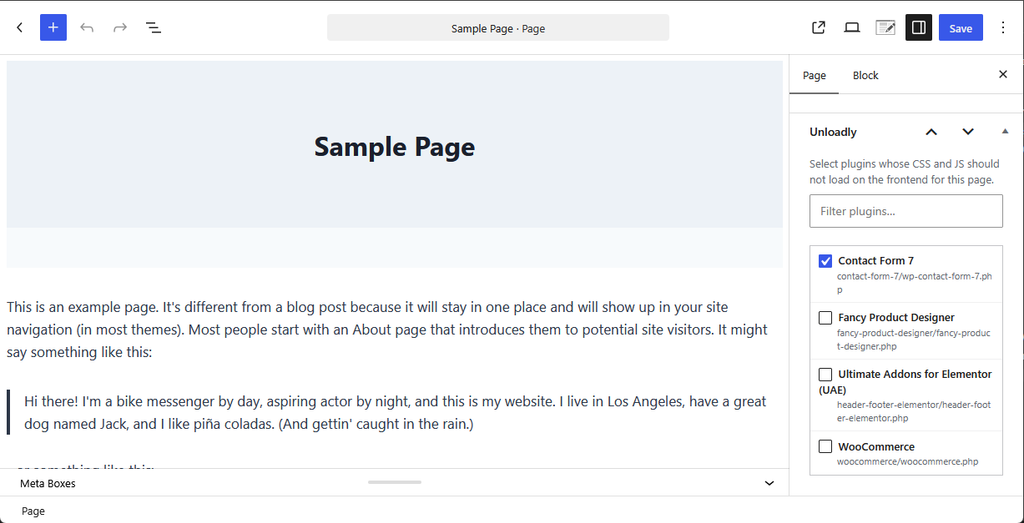
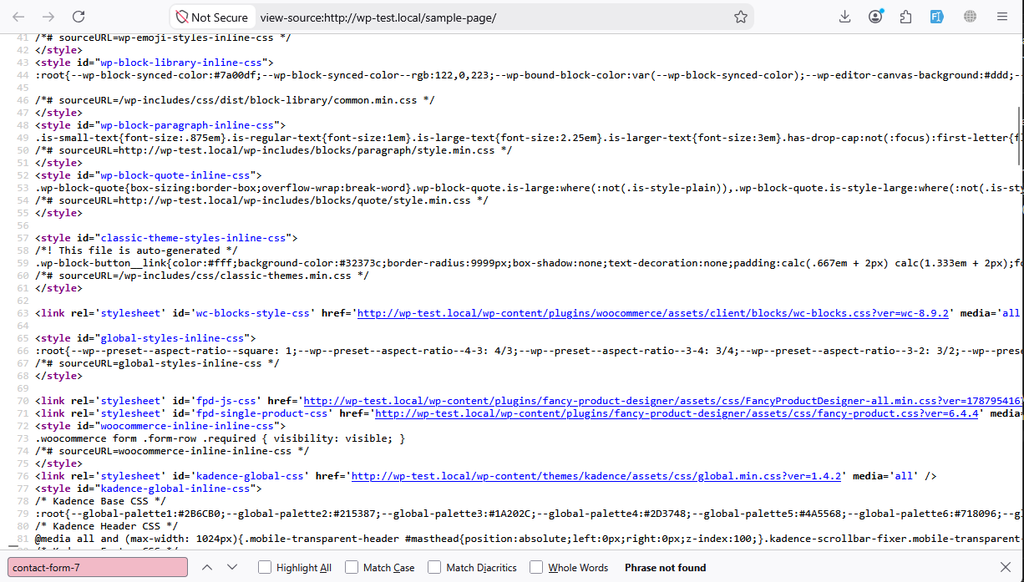
Unloadly stops those files from loading in the first place. Edit a page, tick a plugin, and its frontend CSS and JS stay off that URL. You do not copy script handles. You do not minify. You do not fight a cache plugin.
Use it next to any page cache. Unloadly removes the files; the cache plugin serves what is left. Flush or regenerate the page cache after you change Unloadly rules.
How it looks
How it works
- Edit a page or post. In the Unloadly box, tick plugins that are not needed on that URL — for example a contact form on the About page, or a shop plugin on a content page.
- Update the page. Those plugins’ CSS and JS are dequeued on the frontend for that URL only.
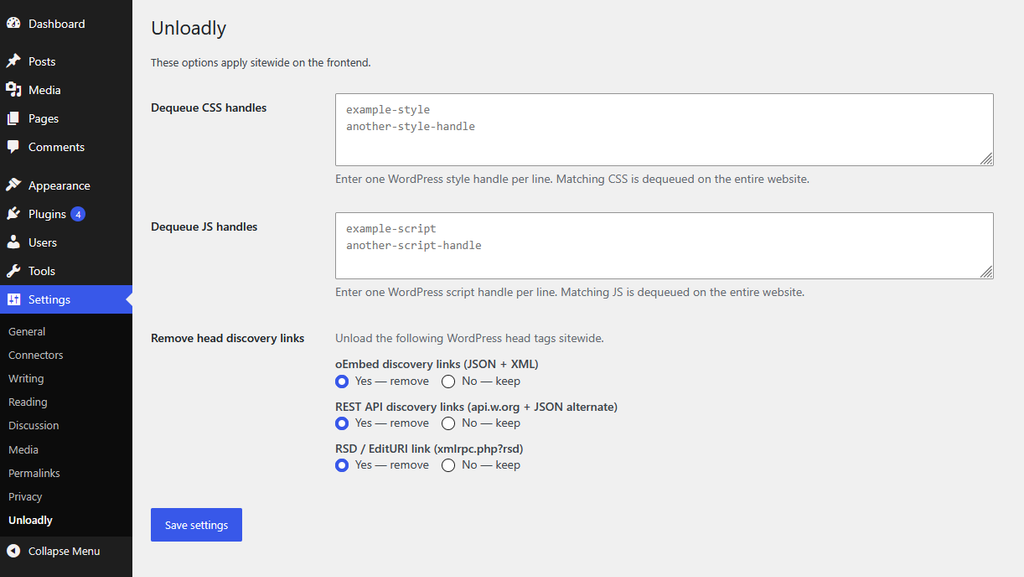
- Optional: open Settings → Unloadly to dequeue CSS or JS handles sitewide, and to strip discovery links from the document head.
- If you use a page cache, flush it so visitors get the new HTML.
What it does
- Per-page plugin unload — Tick plugins in the editor. Their frontend CSS and JS stay off that URL.
- Sitewide CSS and JS dequeue — List style or script handles once. Matching files are removed on the entire frontend.
- Head link cleanup — Optionally remove oEmbed, REST API, and RSD discovery tags from wp_head.
- Safe by design — PHP still runs. Only matching frontend CSS and JS are dequeued. Core jQuery stays loaded.
- Lightweight — No cache, no minify, no delay-JS. One job: do not print unused assets.
- Developer hooks — Filters and actions are prefixed with unloadly_.
Who it is for
Site owners who already cache and still see “Reduce unused JavaScript” or “Reduce unused CSS”. Agencies that want a checkbox per plugin instead of a full asset scanner.
Unloadly is not a replacement for a cache or CSS minifier. It sits beside the tools you already use.
Typical stacks. Unload shop CSS and JS on pages that are not the shop, cart, or checkout. Unload page-builder CSS and JS on pages that do not use the builder — leave them loaded on pages that do. Unloadly does not strip assets on Elementor editor or preview requests, so the canvas keeps its files. Do not tick a plugin on a URL that actually needs it.
Requirements
- WordPress 5.8 or later (tested up to 7.1)
- PHP 7.4 or later
Install
- Install Unloadly from Plugins → Add New, or upload the unloadly folder to /wp-content/plugins/.
- Activate it.
- Open Settings → Unloadly for sitewide options.
- Edit a page or post and use the Unloadly box to disable plugin assets for that URL.
- Flush any page cache after you change rules.
Support
For any question, please contact Email support@versouq.com